 FAQ
FAQ
FAQ
FAQ
To automate link and load execution upon saving a record, follow the steps in this guide to insert your script.
Step 1: Open the Javascript Workflow Editor
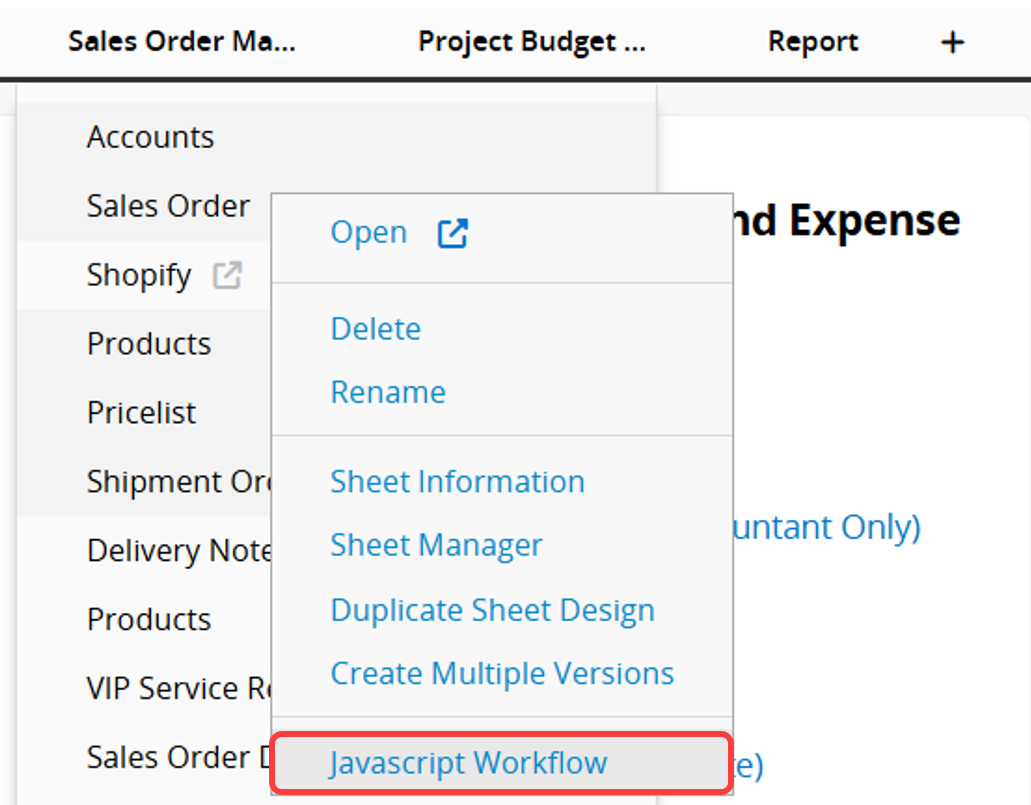
Click the arrow icon next to the sheet name in the tab, and select Javascript Workflow.
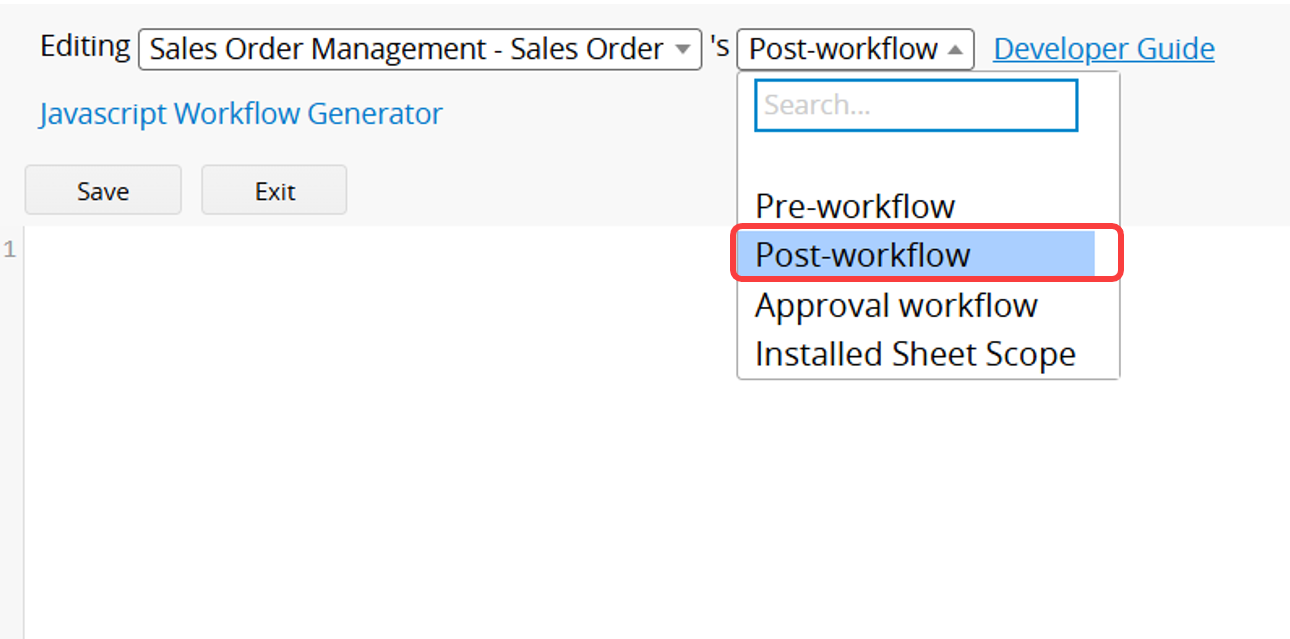
Step 2: Switch to Post-workflow
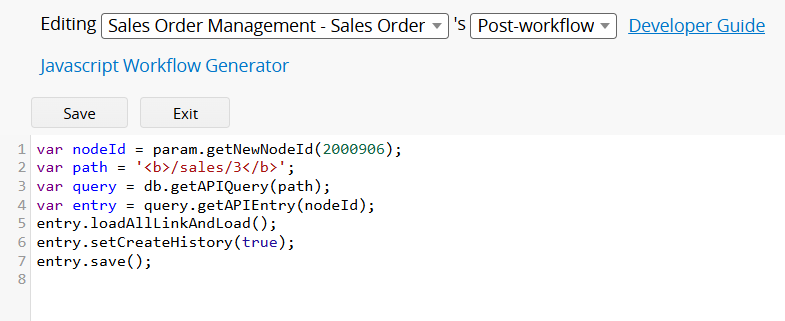
Step 3: Paste and Edit the Following Script, Then Save
var nodeId = param.getNewNodeId(Key Field);
var path = '/tab_path/sheet_path';
var query = db.getAPIQuery(path);
var entry = query.getAPIEntry(nodeId);
entry.loadAllLinkAndLoad();
entry.setCreateHistory(true);
entry.save();
Edit Points:
1. Replace the Key Field with the Key Field ID of the sheet.
You can find this ID in the Javascript Workflow Editor (under Pre-workflow) or by referring to the Data Dictionary.
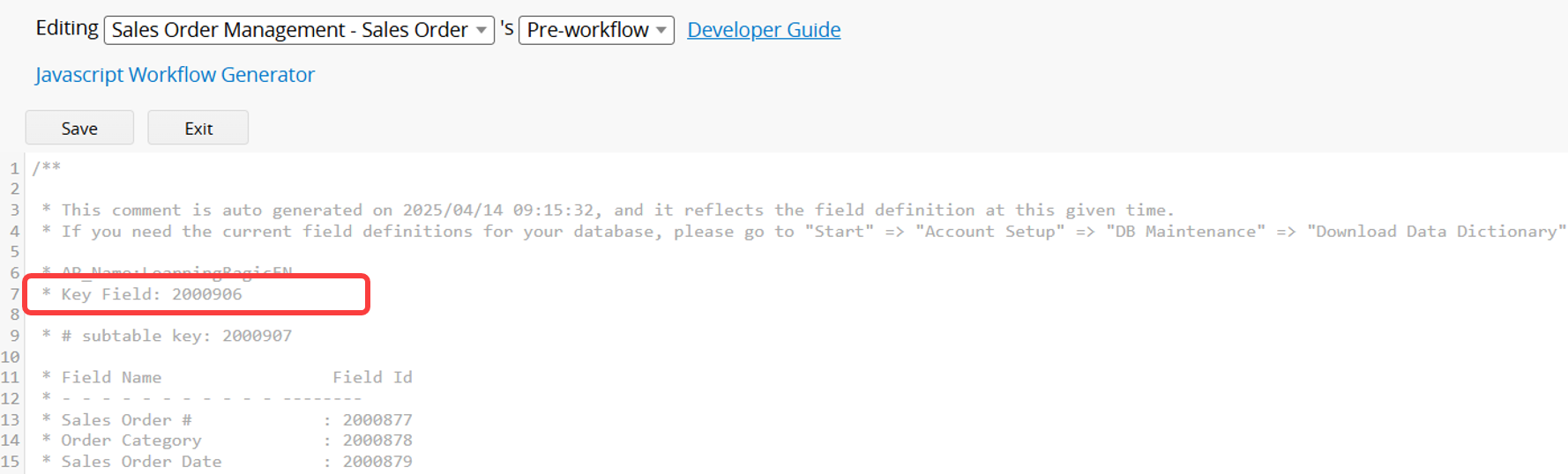
For example, if the key field ID is 2000906, update the script as follows:
var nodeId = param.getNewNodeId(2000906);
2. Replace '/tab_path/sheet_path' with your own tab and sheet path.
For example, if your sheet URL is:
www.ragic.com/sample/sales/3?PAGEID=wSM (ignore the ?PAGEID=wSM part),
then update the script as follows:
var path = '/sales/3';
 Thank you for your valuable feedback!
