 FAQ
FAQ
FAQ
FAQ
You can configure the default sender and reply-to email and name for Reminders and System Notifications in Company Settings. The system will determine which information to use based on a defined priority order, depending on which fields are filled in.
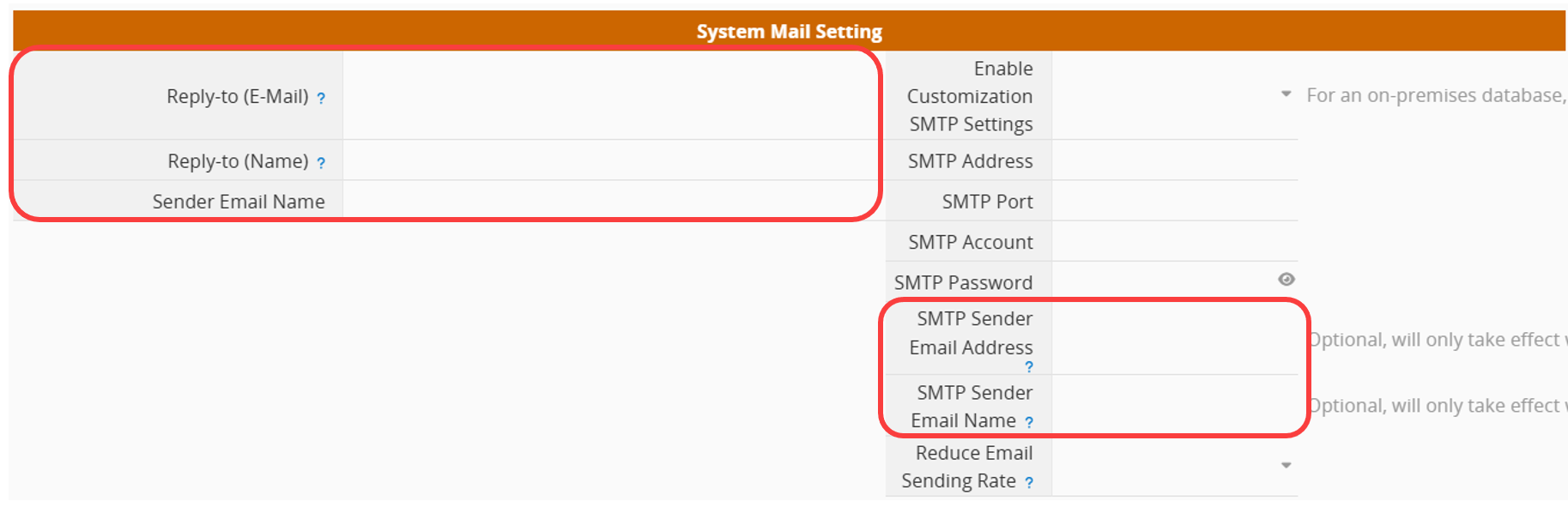
The table below outlines the priority rules for determining sender and reply-to information. The system checks each field in order of priority and uses the highest-priority one with valid content. If no fields are filled in, it falls back to the default values.
| Component | Priority Order |
|---|---|
| Sender Email | 1. SMTP Sender Email Address
2. SMTP Account 3. Default System Email: notification@mg.ragic.com |
| Sender Name | 1. SMTP Sender Email Name
2. Sender Email Name 3. Default System Email Name: Ragic |
| Reply-To Email | 1. Reply-to (E-Mail)
2. SMTP Sender Email Address 3. Default System Email: notification@mg.ragic.com |
| Reply-To Name | 1. Reply-to (Name)
1. SMTP Sender Email Name 2. Sender Email Name 3. Default System Email Name: Ragic |
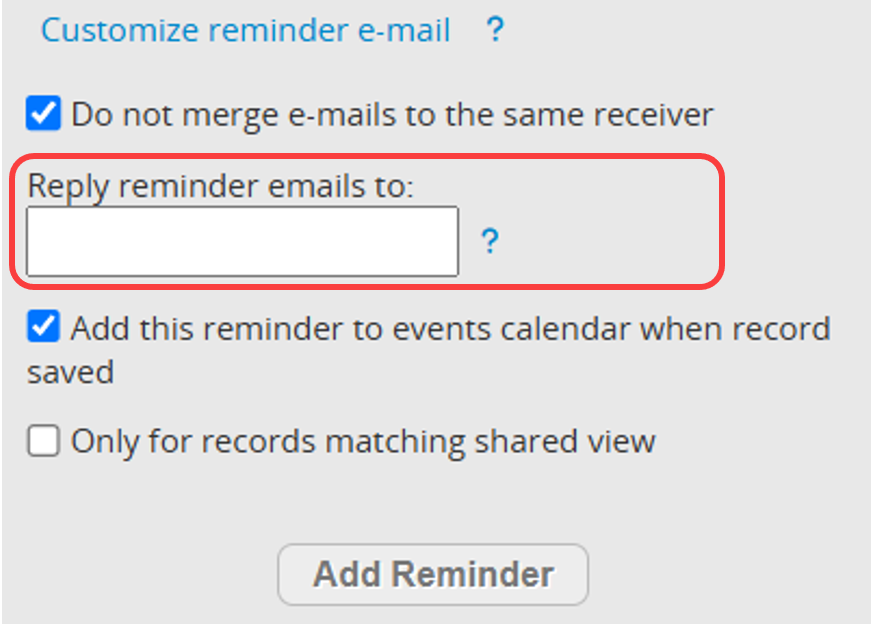
When the reminder setting "Do not merge e-mails to the same receiver" is enabled, the reply-to email will follow a different rule.
| Scenario | Rule |
|---|---|
| "Reply reminder emails to:" field is filled | Use the email specified in this field |
| "Reply reminder emails to:" field is empty | Use the @tickets.ragic.com email address associated with the record |
 Thank you for your valuable feedback!
